Direct mail software with built-in QR code tracking
Make your mail make a connection.
Design personalized postcards and letters, add a trackable QR code, send them to print and mail, and see which campaigns get scanned. All in one place.
This one is real. Scan it from any other phone.Point your phone at it.
Try it before you sign up
This is the real SmartSQR editor. Change the text, drop in your own images and add a QR code. Publishing is turned off in the demo, and your uploads stay in this browser.
The editor loads as you get close.
How direct mail with SmartSQR works
- 01
Design
Lay out a postcard or letter in the editor, with print guides for bleed and safe areas already in place.
- 02
Personalize
Import your contacts and use merge tags so each piece speaks to the person receiving it.
- 03
Proof and mail
Review a proof, approve it, and send the campaign to print and into the mail.
- 04
Track response
See when QR codes are scanned and which campaigns people respond to.
- 01
Design postcards and letters in your browser
Build a mail piece without design software. The editor has print guides built in, so nothing important lands in the trim. Save a layout once and start the next campaign from it.
- Postcard and letter layouts with bleed and safe-area guides
- Your own images, colors and fonts
- Reusable designs for repeat mailings
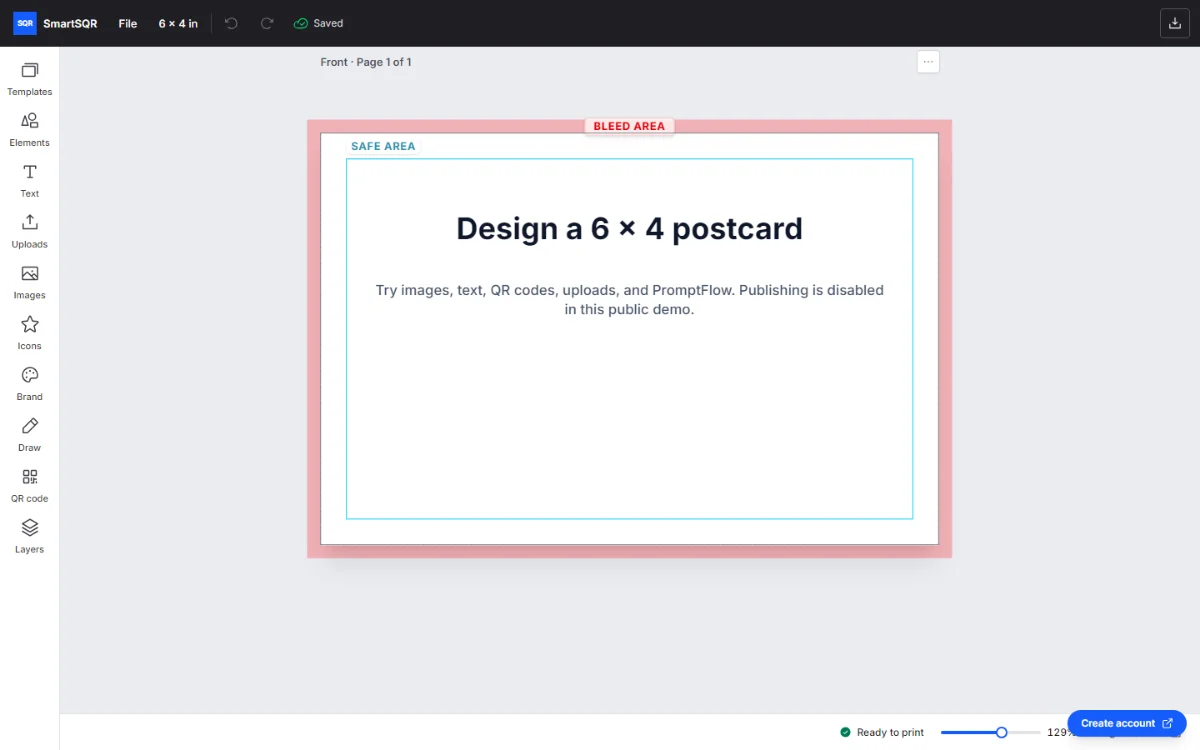
The editor, showing the bleed and safe-area guides on a 6 × 4 inch postcard. - 02
Personalize every piece from your contact list
Import your contacts and place merge tags where names and other details should appear. Each recipient gets a piece addressed to them, and you check the results in the proof before anything prints.
- 03
Add a trackable QR code to every mail piece
The QR code is created inside your campaign, so every scan is tied to the mailing that produced it. Point the code at any page you choose.
Printed the wrong link, or the offer ended? Change the destination after the mail is out, without touching the artwork.
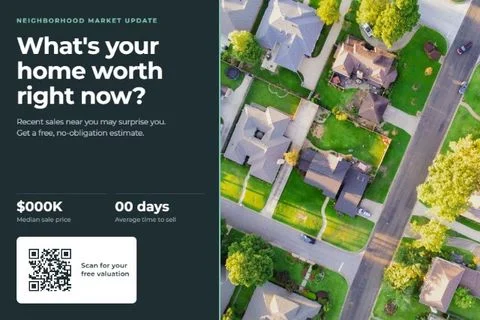
A postcard template from the SmartSQR library. - 04
Proof, print and mail from one place
Approve your proof and SmartSQR sends the campaign to print and into the mail. No files to send to a printer, no printer to chase, no trip to the post office.
- 05
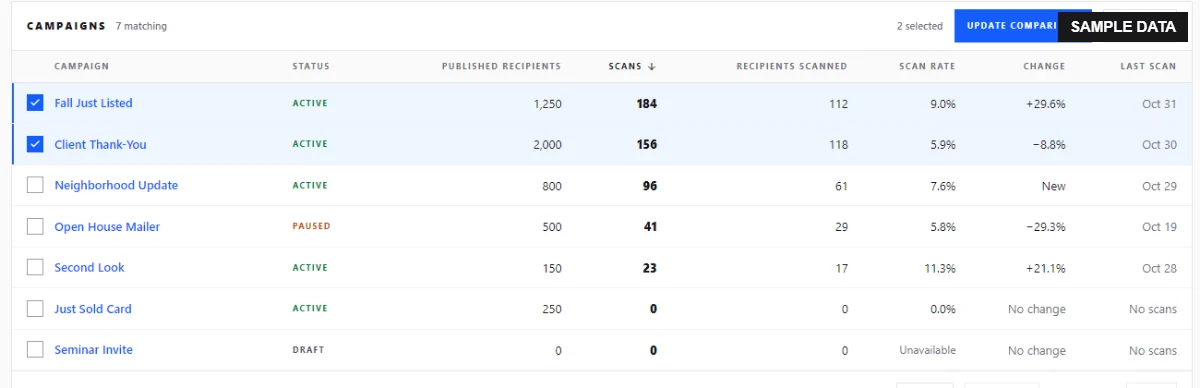
See which mail campaigns get a response
Follow scans by campaign as they come in. Compare mailings, offers and audiences, and put the next budget behind what worked.
Each recipient can have their own QR code, so you can see who scanned, not only how many.
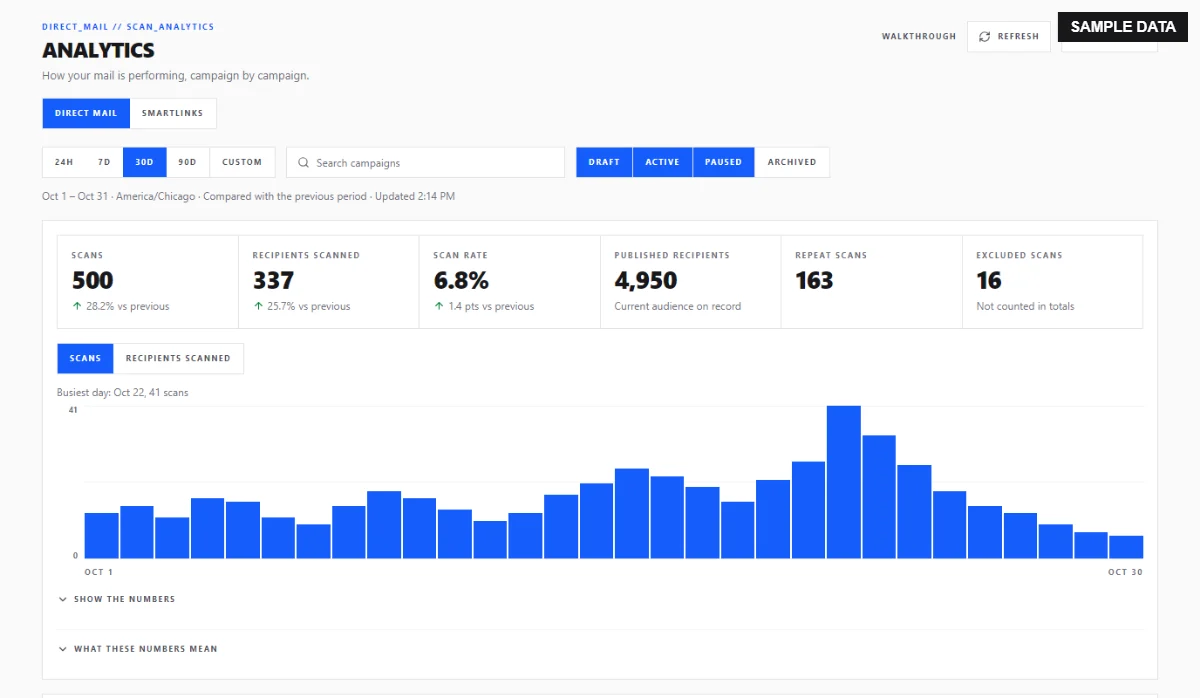
The scan report, shown with sample data.
Direct mail for real estate, local services and agencies
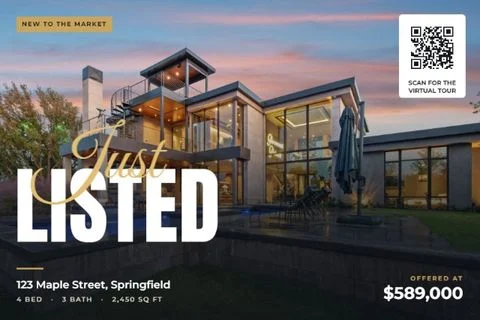
Real estate agents
Farming postcards, just listed and just sold mailers, with a QR code that shows which neighborhoods respond. Short on time? We can set up the design and send you a proof.
Done-for-you real estate marketing
Local service businesses
Postcards for contractors, home services, dental offices and restaurants. Mail a neighborhood and see which offer brings people in.
Marketers and agencies
Run client campaigns from one workspace and report scans by campaign instead of guessing at response.
Simple direct mail pricing
Create an account and design for free. Pay per piece when you mail. Mailing often? SmartSQR Pro lowers the price of every postcard for a flat monthly fee.
Direct mail software questions
What is direct mail software?
Direct mail software lets you design, personalize, print and mail postcards and letters online, without handling printers or postage yourself. SmartSQR adds a trackable QR code to each campaign so you can measure response.
How does QR code tracking work on mail?
Each campaign gets its own QR code. When someone scans it, SmartSQR records the scan against that campaign and forwards the person to the page you chose.
Can I change where the QR code goes after the mail is printed?
Yes. The printed code stays the same, and you can update the destination behind it at any time.
Do I need design experience?
No. The editor includes print guides for bleed and safe areas, and you can reuse saved designs.
Can I use my own mailing list?
Yes. Import your contacts and use merge tags to personalize each piece.
What can I send?
Postcards and letters.
Can I try it before creating an account?
Yes. The live editor on this page is the real one. Publishing is turned off until you sign up.
Your next mailing starts here
Design it, mail it, and know who responded.